PreviewCurrent status

AtlasOmnia product

Omnia Tutor

desktop learning app

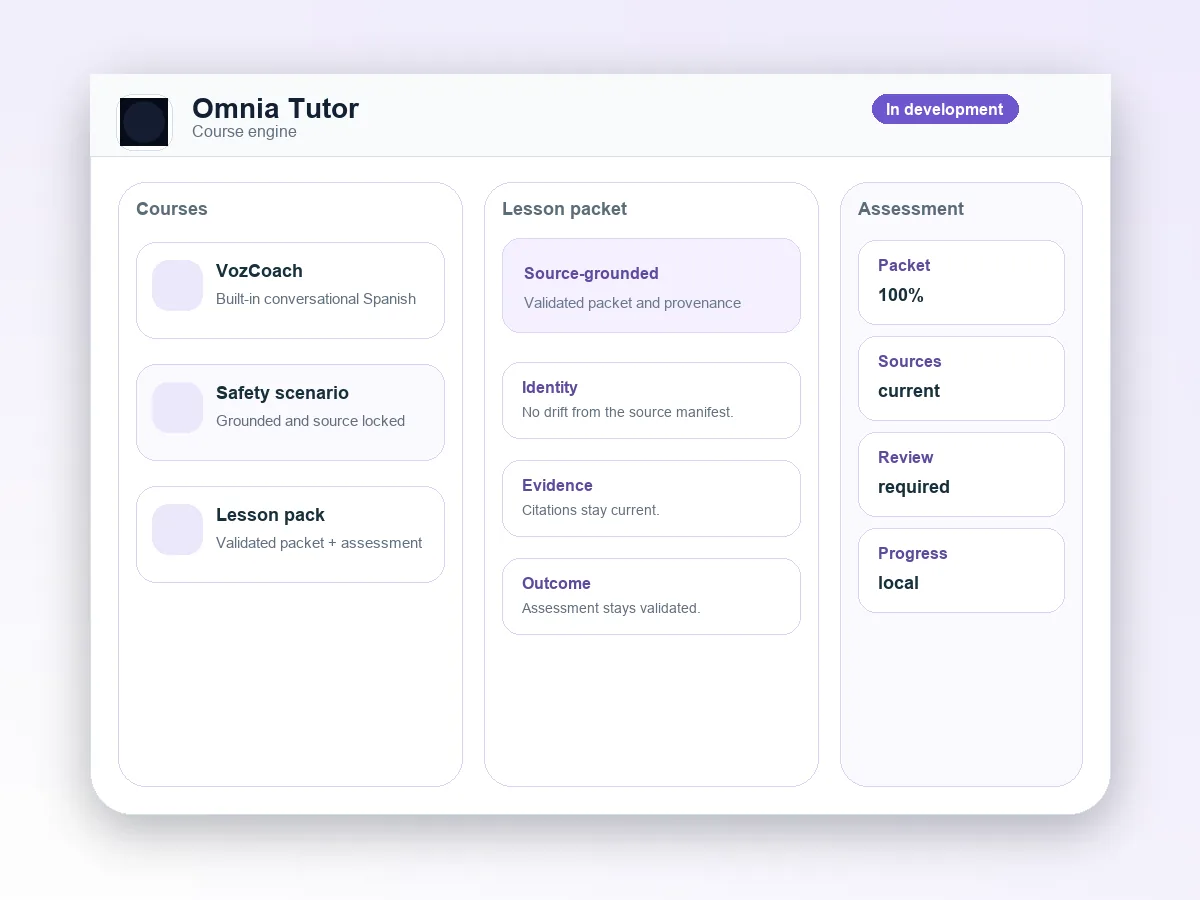
Omnia Tutor interface composition with course packet panels, assessment notes, and source cards

A course engine for validated lesson packets, assessments, and local progress. This is an independent AtlasOmnia preview with current capabilities and availability kept separate from compatibility references.

Preview

Preview

Preview means a prototype is described, but no public installable release is announced.

The label describes the current source-backed route, not a future release promise.

From a course pack to a guided lesson

Omnia Tutor is a local-first Windows and macOS desktop application that turns a Spanish tutor into a reusable adaptive course engine. It combines voice and text lessons with course-scoped progress, bounded Tutor Brain preparation, and structured assessment. This is current development-preview scope, not a public-release commitment.

Grounded by design. Source-grounded courses fail closed when current evidence, citations, packet validation, or assessment is unavailable; a configured model is not by itself proof of a valid lesson or mastery.

What the current preview can do

The repository describes a bounded path from course selection and source preparation to voice or text practice and course-specific review.

Teach by voice or text

Run low-latency voice lessons through configured realtime or turn-based voice providers, or use a bounded text-lesson surface with activity prompts and responses.

Prepare bounded lesson packets

Tutor Brain prepares source-grounded, provider-neutral LessonPackets and structured lesson assessments. Invalid, unavailable, canceled, timed-out, or stale grounded operations remain review-required.

Keep courses distinct

Course selection, chapters, prerequisites, competency metrics, progress, dashboards, review queues, session history, and provenance remain scoped to the selected course.

Build with Course Studio

Manage local source libraries, import and index files, create and edit bounded course drafts, compose and validate content, review source impact, and publish through explicit confirmation gates.

Ways the preview can be used

These examples describe the kinds of learning workflows supported by the checked-out preview; they are not promises about a public course catalog.

01

Practice Conversational Spanish

Use the built-in Conversational Spanish / VozCoach course for a 90-day practical Latin American Spanish path from foundation through fluency simulation.

02

Create a private course

Build a source-grounded learning course from a managed local document library without sending the full source corpus to a provider.

03

Review course progress

Deliver voice or text lessons with course-specific review items, competency records, assessment provenance, and prerequisite locks.

04

Demonstrate grounded training

Use the synthetic Safety Scenario Foundations course as a generic source-grounded training demonstration, not as a clinical or operational decision-maker.

Desktop and provider setup

The current route is a local development workflow. Selecting a local model provider still requires that provider to be available.

  • A supported desktop target: Windows or macOS through Electron.
  • Developer setup requires Node 24.13.0 and npm; the repository provides development, build, validation, and packaging scripts.
  • Voice sessions require microphone and audio access, current privacy consent, and a configured voice-provider path.
  • Tutor Brain supports fixed local OpenAI-compatible LM Studio or Ollama endpoints, OpenAI, and OpenRouter. The selected configuration requires a successful synthetic structured-JSON preflight before generation.
  • Source-grounded courses require a local source library with indexed, integrity-verified evidence and current source references tied to the course version.
  • The app launches directly from Electron and does not install or start a separate model runtime.

Local records, explicit provider boundaries

Omnia Tutor documents local learner controls while making provider transmission and consent boundaries visible.

Local learner records

Learner profiles, course enrollments, progress, transcripts, competency scores, review items, source metadata, and related local records are stored in the application’s SQLite data store.

Credentials and consent

Provider credentials are encrypted with Electron safeStorage and excluded from SQLite learner exports, renderer-readable settings, and migration backups. Privacy consent version 2 covers provider transmission, voice sessions, Tutor Brain operations, bounded transcripts, source manifests, and Course Studio provider operations; missing or stale consent blocks affected operations.

Bounded provider requests

Depending on configuration, microphone audio, transcripts, prompts, bounded source excerpts, lesson context, or assessment context may leave the device. The full source corpus and unrestricted filesystem paths are not sent.

Export, delete, reset

The app provides local learner-data export, support-report export, session deletion, learner-data reset, retention controls, and no-history mode. These controls do not delete data already held by OpenAI, OpenRouter, Gemini, Soniox, local model software, or other providers. The app has no analytics, telemetry, crash reporting, advertising identifiers, or tracking pixels.

A private preview, not a public download

Omnia Tutor is an independent AtlasOmnia product in development. The private repository can produce unsigned local artifacts, but no public release, download, pricing, or release timing is announced. Local and CI artifacts may require separate signing and notarization before distribution. Repository capabilities are current development-preview scope, not public-release commitments.

The built-in Conversational Spanish / VozCoach course is an Omnia Tutor course, distinct from the standalone VozCoach app.

Questions before you follow this route

Can I use it today?

Omnia Tutor is a preview. The page describes current source-backed context, but no public installable release is announced.

What do I need?

Use the requirements and privacy sections on this page. The verified manual Office setup is summarized on the install page where it applies.

Where does my data go?

The data path depends on the configured product endpoint and provider described on this page. Review those boundaries before using real data; AtlasOmnia does not claim that every configured provider is local.

Follow Omnia Tutor updates

The existing AtlasOmnia updates list is the only signup path. This product-tagged link identifies the route in the URL; no claim is made about how Beehiiv stores that parameter.

Follow launch updates