PreviewCurrent status

AtlasOmnia product

AtlasOmnia Translator

Spanish-English translation app
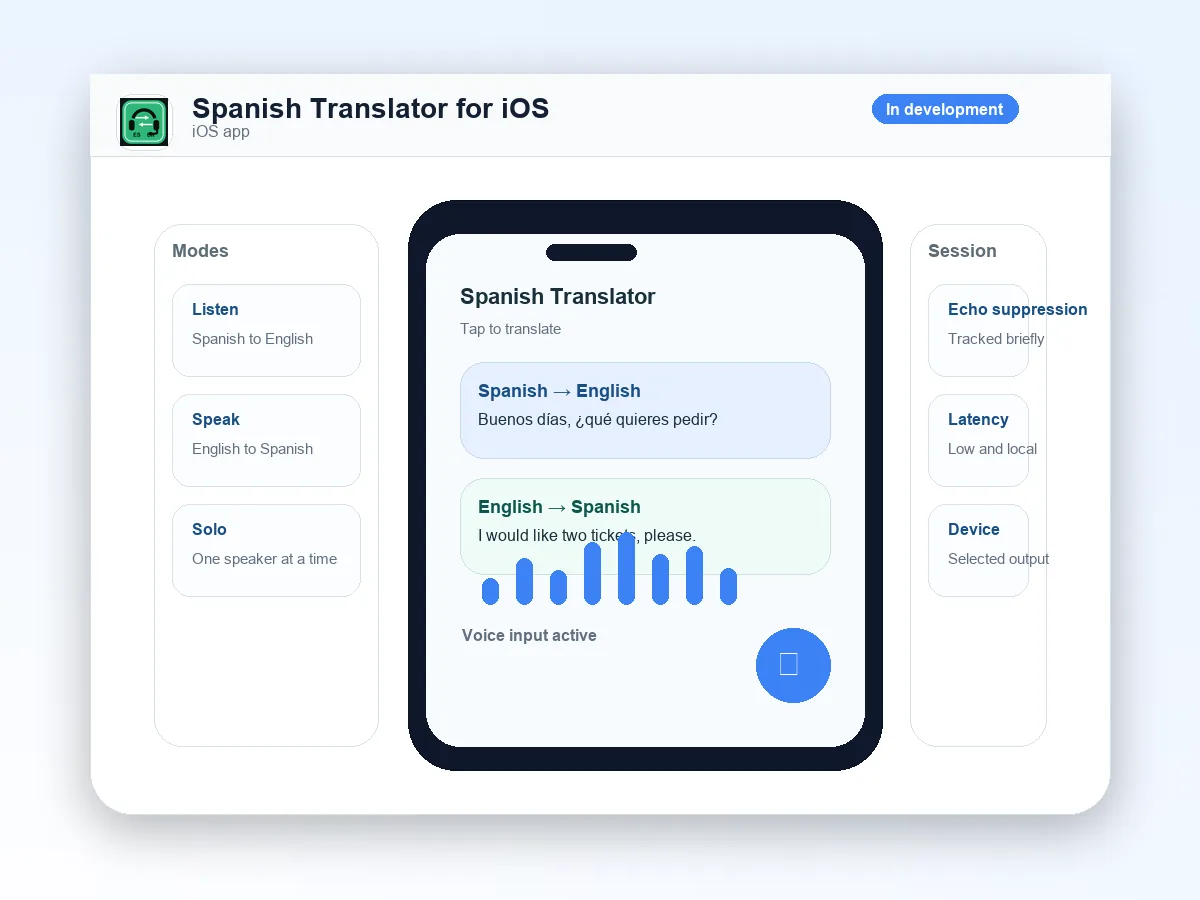
AtlasOmnia Translator interface composition with translation bubbles and waveform

A live speech translator for Spanish and English with tight turn-taking. This is an independent AtlasOmnia preview with current capabilities and availability kept separate from compatibility references.

Preview

Preview

Preview means a prototype is described, but no public installable release is announced.

The label describes the current source-backed route, not a future release promise.

Keep the interpretation in the turn

Translator is a live Spanish-English interpreter with a Windows/Electron development path and a native iOS 17 source slice. It is designed to listen, translate, and play the opposite language; it is not a general assistant or chat surface. This is current development-preview scope, not a public-release commitment.

Translation only. The interpreter contract prohibits greetings, explanations, language labels, commentary, assistant answers, and chatty responses.

What the current preview can do

The checked-out sources describe live input/output controls, turn handling, and provider-specific desktop and iOS paths.

Translate both directions

Translate Spanish speech into spoken English and English speech into spoken Spanish through the selected output route.

Control the audio path

Choose a microphone and output device, start or stop a live session, see status and input-level feedback, and review a recent heard-versus-translation transcript.

Handle short turns

Use local silence gating, phrase-end handling, short trailing windows, and repeat-back or playback-echo suppression to reduce clipped phrases and feedback loops.

Use the available development paths

The desktop checkout exposes Gemini Live as the default provider and optional local Hugging Face speech-to-speech realtime testing. The iOS 17 source slice contains Gemini Live, OpenAI Realtime Translation, and Soniox provider implementations.

Choose who hears the translation

These examples describe the kinds of interpretation workflows supported by the checked-out preview; provider support varies by mode.

01

Listen to them

On iOS, route nearby Spanish into private English audio through earbuds or another selected output.

02

Speak to them

Speak English into the device and play concise Spanish translation for another person to hear.

03

Two-way conversation

Use Gemini Live two-way conversation mode when both people may speak Spanish or English; current provider support is not uniform.

04

Solo Coach practice

Use the iOS Solo Coach path with Coach Repeat and echo suppression for Spanish-English interpretation practice.

Separate desktop and iOS paths

The current route is a development workflow. The desktop README specifically documents Windows/Electron; the iOS source slice targets iOS 17.

  • For desktop development: Windows/Electron, npm setup scripts, microphone permission, an input and output device, and a configured provider credential where applicable.
  • The optional HF local backend requires Windows 10/11 or WSL, Python 3.10+, Git, FFmpeg, and a locally configured realtime server. An NVIDIA GPU and CUDA are optional but recommended for performance.
  • For the native path: iOS 17.0, Xcode/XcodeGen project setup, microphone permission, and suitable audio routing. Bluetooth and background audio behavior are part of the iOS design.
  • Gemini direct API-key WebSocket mode is intended for local development. Distributed builds should use a broker URL that keeps long-lived provider keys server-side.
  • OpenAI Realtime Translation uses one target language per session in the current iOS implementation; current Two-Way Conversation validation requires Gemini Live.

The selected provider determines the boundary

Microphone audio and translation context can take different paths depending on the provider and platform configuration.

Provider processing

Desktop provider paths can send microphone audio and translation context to Gemini or use a local HF realtime server. The configured provider determines where audio and translated output are processed.

Credential handling

Desktop Gemini credentials are kept through Electron secure storage, while the current direct-key WebSocket mode places the key in the documented connection URL and is treated as unsuitable for distributed production builds. The iOS implementation stores provider API keys in Keychain-backed storage and still recommends a production token broker.

Audio usability controls

The app uses microphone permissions, Bluetooth routing, background audio configuration on iOS, local silence and VAD gating, and repeat-back suppression as safety and usability controls.

Known overlap limit

The optional HF documentation states that true diarization or source separation is not provided by the current realtime server; overlapping voices remain an accuracy limitation. This is not a claim of packaged offline translation.

A development preview, not a public app

Translator is an independent AtlasOmnia product preview. The desktop build and iOS source slice are development artifacts; no public release, store listing, pricing, or launch date is announced. Repository capabilities are current development-preview scope, not public-release commitments.

Join the launch list for future availability updates; no purchase flow is published.

Questions before you follow this route

Can I use it today?

AtlasOmnia Translator is a preview. The page describes current source-backed context, but no public installable release is announced.

What do I need?

Use the requirements and privacy sections on this page. The verified manual Office setup is summarized on the install page where it applies.

Where does my data go?

The data path depends on the configured product endpoint and provider described on this page. Review those boundaries before using real data; AtlasOmnia does not claim that every configured provider is local.

Follow AtlasOmnia Translator updates

The existing AtlasOmnia updates list is the only signup path. This product-tagged link identifies the route in the URL; no claim is made about how Beehiiv stores that parameter.

Follow launch updates