PreviewCurrent status

AtlasOmnia product

VozCoach

desktop voice-learning app
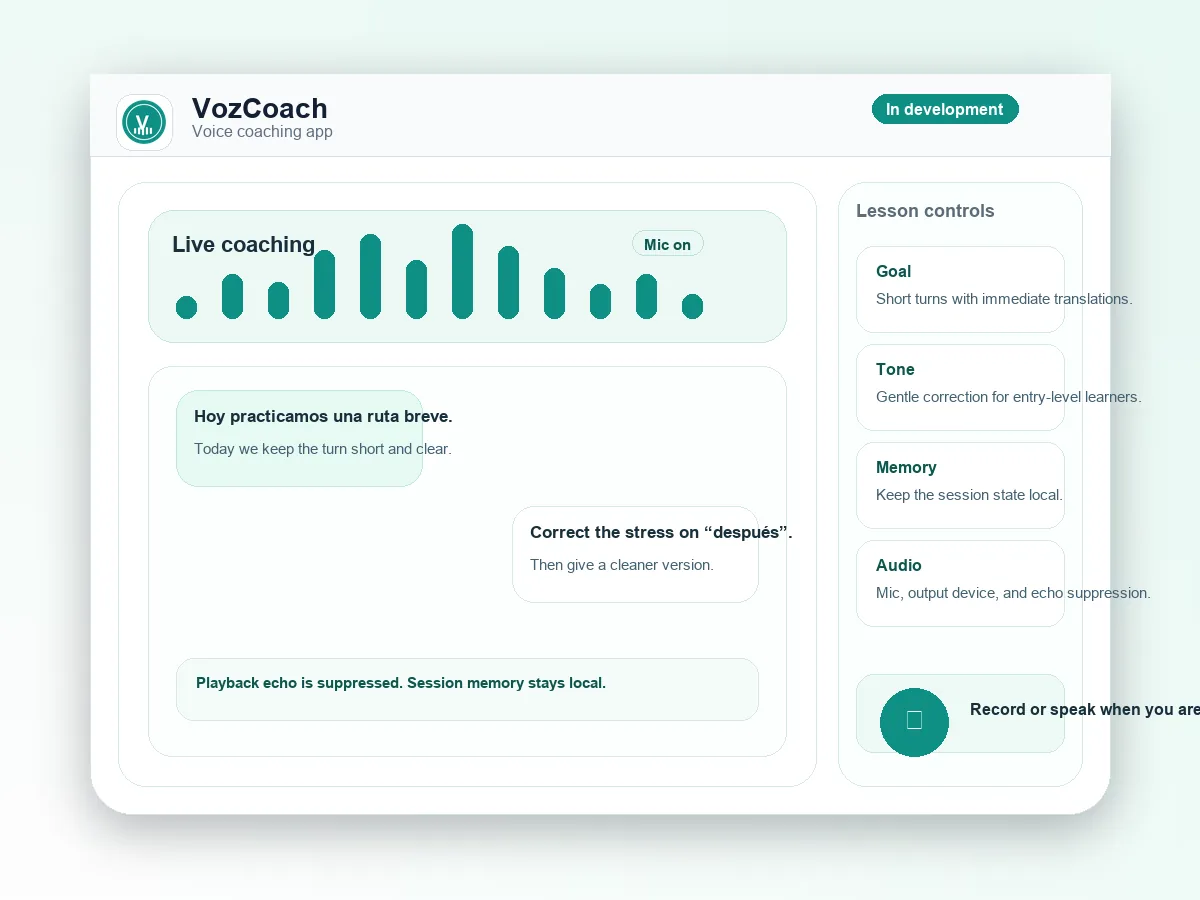
VozCoach interface composition with voice waveform, tutor session, and lesson controls

A voice-first Spanish tutor with realtime coaching, learning state, and session memory. This is an independent AtlasOmnia preview with current capabilities and availability kept separate from compatibility references.

Preview

Preview

Preview means a prototype is described, but no public installable release is announced.

The label describes the current source-backed route, not a future release promise.

Practice practical Spanish out loud

VozCoach is a personal Windows and macOS desktop Spanish tutor centered on low-latency voice coaching, adaptive practice, a 90-day conversational curriculum, and local learning records. This is current development-preview scope, not a public-release commitment.

Separate product identity. Standalone VozCoach is distinct from the built-in Conversational Spanish / VozCoach course inside Omnia Tutor.

What the current preview can do

The documented baseline combines short interactive voice turns, a structured curriculum, local learning memory, and a proposal-based planning surface.

Coach through short turns

Run voice-first tutoring sessions with practical Spanish practice, guided drills, roleplay, recap, homework, and corrections after the learner finishes.

Follow a 90-day path

Progress from foundation work through conversation building, real-world Spanish, and fluency simulation, with practical targets such as travel, routines, pronunciation, and response speed.

Keep learning memory locally

Track learner profile, curriculum day and focus, session history, summaries, mistakes, vocabulary, pronunciation notes, homework, and skill scores in local app storage.

Plan with Voz

Request one lesson, preference, or course change at a time. VozCoach shows a proposal before applying it, and course-position changes require explicit confirmation.

Make each session useful between sessions

These examples describe the kinds of learning workflows supported by the checked-out preview; they are not promises about a public provider catalog.

01

Practice a daily conversation

Set a learner-selected target, dialect, correction timing, and daily commitment, then practice practical conversational Spanish in a voice session.

02

Work on a specific skill

Focus on pronunciation, vocabulary, listening, grammar, response speed, confidence, travel, introductions, food, routines, or directions.

03

Review what happened

Use Dashboard, Plan, Review, and History surfaces to revisit session summaries, mistakes, vocabulary, pronunciation notes, homework, and progress.

04

Ask for a safe adjustment

Use Plan with Voz to repeat a lesson, request more pronunciation practice, adjust future preferences, or propose a course-position change for confirmation.

Desktop voice setup

The current route is a local development workflow. Provider-specific configurations beyond the documented baseline remain under development.

  • A supported desktop target documented by the README: Windows or macOS through Electron.
  • Node and npm for the local development workflow, with npm install, npm run dev, and npm run build documented in the checkout.
  • The documented implemented OpenAI Realtime path requires an OpenAI API key, microphone access, and a suitable audio device; macOS use requires microphone permission.
  • Provider-specific configurations require the corresponding credentials, models, local services, or browser capabilities.
  • The README explicitly says comprehensive installer packaging, desktop shortcut provisioning, and local Ollama, whisper.cpp, and TTS providers are not implemented.

Local memory with provider-aware consent

VozCoach keeps learning records and credentials in local app storage while making active provider transmission and no-history behavior explicit.

Local learning records

Learning profiles, curriculum state, session records, transcripts, scores, vocabulary, mistakes, pronunciation notes, summaries, and homework are stored locally in a SQLite database.

Provider boundaries

Depending on provider mode, microphone or recorded audio, session instructions, learner and tutor turns, transcript history, and related data may be sent to a selected provider or local service. Provider API keys are encrypted through Electron safeStorage and stored in the local credential vault.

Plan with Voz is scoped

Plan with Voz sends the typed request, selected curriculum context, supported learning preferences, queued next-session focus, and live-session status. It does not send full transcripts, coaching-note text, provider keys, or unrelated session-history bodies.

No-history means no local save

No-history mode prevents completed sessions from being saved locally and stops curriculum advancement, but it does not prevent data required by an active provider session from being transmitted. Local export, delete, and reset controls do not remove provider-retained records. The app has no analytics, telemetry, crash reporting, advertising identifiers, or tracking pixels.

A personal preview, not a public installer

VozCoach is an independent AtlasOmnia product preview. The source checkout can run locally with the documented development workflow, but no public release, installer, pricing, or launch date is announced. Repository capabilities are current development-preview scope, not public-release commitments.

The documented implemented baseline is OpenAI Realtime; additional provider-catalog entries are development experiments, not a promise of general availability.

Questions before you follow this route

Can I use it today?

VozCoach is a preview. The page describes current source-backed context, but no public installable release is announced.

What do I need?

Use the requirements and privacy sections on this page. The verified manual Office setup is summarized on the install page where it applies.

Where does my data go?

The data path depends on the configured product endpoint and provider described on this page. Review those boundaries before using real data; AtlasOmnia does not claim that every configured provider is local.

Follow VozCoach updates

The existing AtlasOmnia updates list is the only signup path. This product-tagged link identifies the route in the URL; no claim is made about how Beehiiv stores that parameter.

Follow launch updates